
Airdrop-themed messages can feel unusually persuasive because they combine a recognizable word, a limited-attention environment, and a request for an immediate decision. That combination is useful to scammers even when the underlying project name is unfamiliar. The safety question is not whether a headline sounds exciting or whether a page looks polished. It is whether the information can withstand a calm, independent review without urgency, secrecy, or pressure.
This article is a framework for recognizing phishing patterns and for pausing before an airdrop-related interaction. It does not determine whether any named project has an offer, whether a person is eligible, or whether a webpage is authentic. It also does not provide transaction instructions. The aim is narrower: make it easier to separate a marketing-style prompt from evidence that can be independently checked.
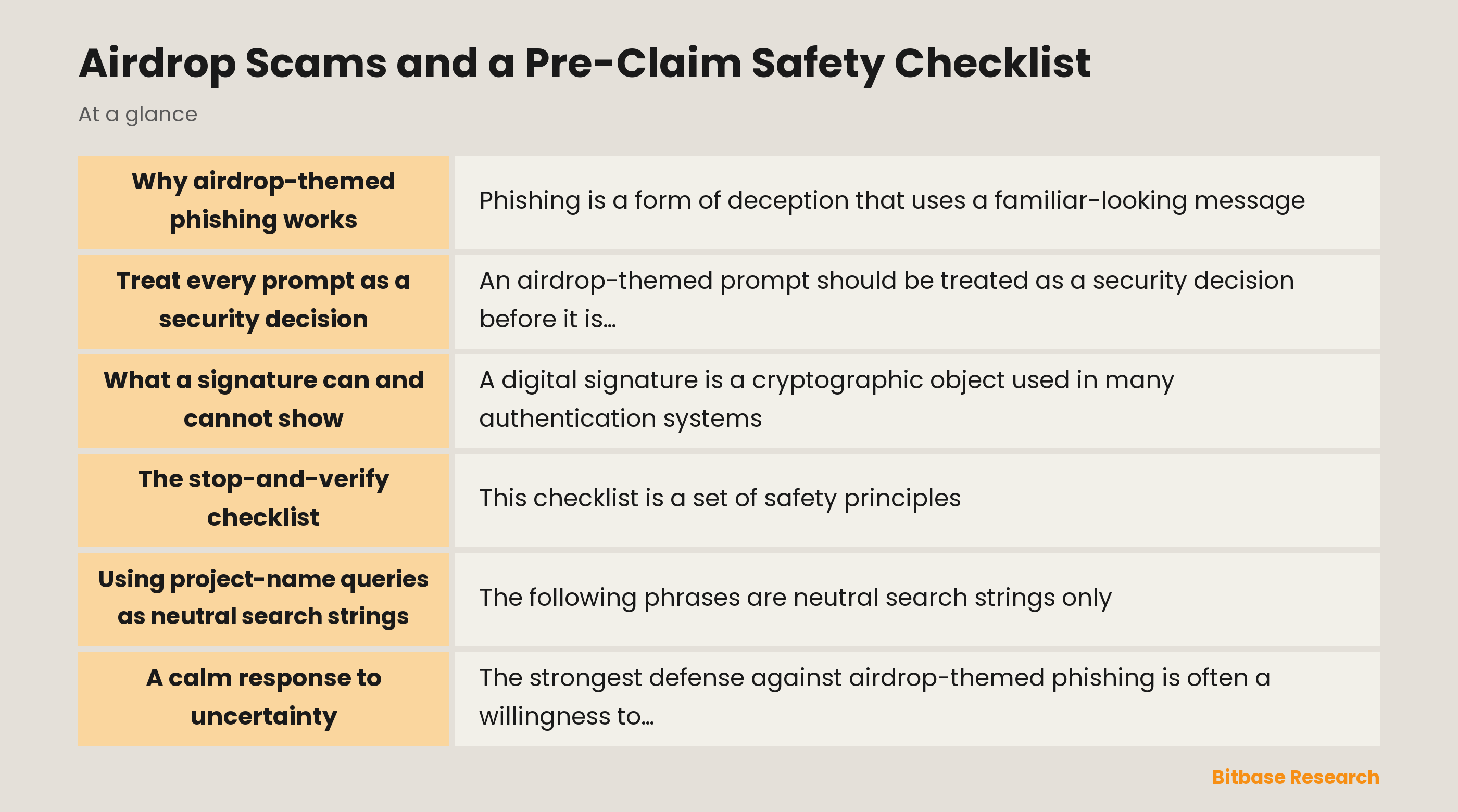
Why airdrop-themed phishing works
Phishing is a form of deception that uses a familiar-looking message, identity, or destination to obtain attention, information, or authorization. Airdrop language is adaptable to that purpose because it can be attached to a social post, direct message, email, advertisement, search result, or copied webpage. The visual details may be sophisticated: a recognizable logo, a countdown, a reassuring explanation, or comments that appear to show approval. None of those details independently proves that the source is trustworthy.
The most important signal is often the pressure placed on judgment. A prompt may imply that delay will cause a loss, that verification is unnecessary, or that an exception applies to ordinary safety habits. That pressure is not proof of wrongdoing on its own, but it is a reason to pause. Good security decisions are easier when they are separated from a timer, a persuasive stranger, and an unfamiliar link.
Phishing also benefits from category confusion. A person may think they are simply reading information when a page is actually steering toward a sensitive request. Or they may see a familiar project name and assume that every surrounding account, domain, image, and instruction inherits that familiarity. It does not. Names are easy to repeat. Evidence is harder to produce, and it should be examined independently.
Treat every prompt as a security decision
An airdrop-themed prompt should be treated as a security decision before it is treated as an opportunity. That shift in framing changes the questions worth asking. Instead of asking what might be gained, start by asking what the message wants the reader to accept, disclose, authorize, or ignore. The request may be explicit, or it may be hidden behind a sequence of seemingly ordinary screens. Either way, the appropriate response to uncertainty is a stop, not a guess.
Independent verification means using a route that was not supplied by the persuasive message itself. A copied link, a promoted search result, an attachment, and a direct message can all be part of the same deception. An independent route has a different origin: a bookmarked official documentation page, a known organizational channel located separately, or a well-established security authority. The point is not to assemble a long list of sources. The point is to avoid letting one unverified source authenticate itself.
This principle also applies to screenshots and social proof. A screenshot may show a real interface, a partial interface, or an altered interface; a large audience may contain automated accounts; and a reply that looks official may merely imitate a style. Each item can be contextual information, but none should be elevated into decisive proof. A safety checklist is most valuable when it resists the urge to turn visual familiarity into trust.
What a signature can and cannot show
A digital signature is a cryptographic object used in many authentication systems. In a blockchain context, it can demonstrate that an address-controlled credential approved a particular request. That technical role is important, but it is not the same as a judgment that the surrounding website, message, or organizer is safe. Authentication answers a limited question about control; it does not answer every question about intent, identity, consequences, or legitimacy.
For that reason, a signature request deserves the same attention as any other security-relevant prompt. Its presence should not be treated as a harmless ceremonial click, nor should unfamiliar wording be dismissed because a page uses professional design. The safe principle is to understand the context before accepting any security-sensitive request. If the context is incomplete, contradictory, rushed, or dependent on a link from an unverified message, the correct posture is to stop and seek independent clarification.
It is also useful to distinguish a label from a full explanation. Terms such as “verification,” “access,” or “eligibility” may sound reassuring, yet words chosen by a page do not explain the actual request. A trustworthy security decision requires coherent context: who is asking, why the request exists, how the identity was independently established, and whether the explanation remains consistent outside the page that presented it. Missing context is not a minor inconvenience; it is a reason not to continue.
The stop-and-verify checklist
This checklist is a set of safety principles, not a procedure for completing an airdrop interaction. It is designed to create time and distance between a persuasive prompt and a consequential decision.
- Stop when urgency is doing the persuasion. A timer, scarcity language, or a message that discourages questions should reduce confidence rather than increase it. Time pressure makes independent assessment harder.
- Separate discovery from verification. Treat a post, ad, forwarded link, QR image, or direct message as a lead rather than as proof. Evidence should come from an independently located route.
- Verify identity independently. Do not use contact information, domains, or channels supplied by the original prompt as the only basis for trust. Look for corroboration that originates elsewhere and has a clear relationship to the claimed organization.
- Read the full security context. A request that relates to a signature, identity, permissions, or account access should make sense in plain language. If its purpose cannot be explained without relying on reassurance from the same page, stop.
- Keep scope in view. A harmless-sounding label can conceal a broad request. Security decisions should be proportional to a clearly understood purpose, with no unexplained extra permissions or ambiguous consequences.
- Treat unfamiliar technical language as a reason for review. Complexity is not proof of fraud, but it is not proof of safety either. A reader does not need to decode every technical term under pressure; uncertainty is sufficient reason to pause.
- Preserve a record for later review. Note the source, timing, claims made, and any unusual wording without treating that record as a verdict. A calm comparison later can reveal inconsistencies that were easy to miss in the moment.
The checklist works because it changes the sequence of thought. It does not ask someone to become an instant expert. It asks them to avoid converting uncertainty into authorization. That is a practical defensive habit across many forms of phishing.
Using project-name queries as neutral search strings
The following phrases are neutral search strings only. They are not evidence that an offer exists, that a program is active, that a result is genuine, or that any reader has a path to an asset:
- `aster airdrop safety checklist`
- `berachain airdrop safety checklist`
- `monad airdrop safety checklist`
- `solana seeker airdrop safety checklist`
- `falcon finance airdrop safety checklist`
- `jupiter airdrop safety checklist`
- `lighter airdrop safety checklist`
- `linea airdrop safety checklist`
- `meteora airdrop safety checklist`
When a project-name query returns a mixture of advertisements, posts, videos, domains, and copied explanations, the result set should be understood as an unverified collection of claims. Search visibility is not a security property. A familiar name beside an unfamiliar URL is not a reliable combination, and a familiar URL in a screenshot is not the same as an independently confirmed destination.
Using a neutral query can still be useful for research when it is paired with skepticism. Look for conflicting descriptions, reused wording, or pressure that appears across unrelated pages. More importantly, keep the search result separate from the conclusion. A query helps find information; it does not authenticate the information it finds.
A calm response to uncertainty
The strongest defense against airdrop-themed phishing is often a willingness to leave an uncertain prompt unresolved. That can feel unsatisfying because scammers design messages to make non-action feel costly. But security is not measured by how quickly a person responds. It is measured by whether their decision remains sound after the urgency, styling, and social pressure are removed.
If a message cannot tolerate independent verification, that limitation is meaningful. If the explanation changes when examined outside the original page, that inconsistency is meaningful. If a signature or other security-sensitive request is presented without a comprehensible purpose, that ambiguity is meaningful. None of these observations needs to prove a particular source malicious before it justifies a pause.
Independent judgment is not the same as isolation. Public cyber-safety guidance, trusted organizational security contacts, and established consumer-protection resources can help a person reason through a suspicious situation without accepting the framing imposed by the original prompt. The goal is not perfect certainty about every item online. The goal is to avoid allowing a persuasive airdrop narrative to substitute for evidence.
Sources
- CISA: Phishing Guidance—Stopping the Attack Cycle at Phase One
- Federal Trade Commission: What To Know About Cryptocurrency and Scams
- National Cyber Security Centre: Phishing
- ethereum.org: Authentication on Ethereum
Disclaimer: This article is educational content from Bitbase Academy, provided for information only. It does not constitute investment, trading, tax, or financial advice. Crypto assets are volatile; assess your own risk. Written as of August 2026; refer to the latest official information.
References
[1] CISA: Phishing Guidance—Stopping the Attack Cycle at Phase One cisa.gov
[2] Federal Trade Commission: What To Know About Cryptocurrency and Scams consumer.ftc.gov
[3] National Cyber Security Centre: Phishing ncsc.gov.uk
[4] ethereum.org: Authentication on Ethereum ethereum.org